
Language school software: courses, attendance and billing in one place
Groups at different levels, semesters, make-up classes and course instalments. VerseLMS runs it all in one system, and students and teachers have the app for iPhone, iPad and Android.
Courses and scheduling
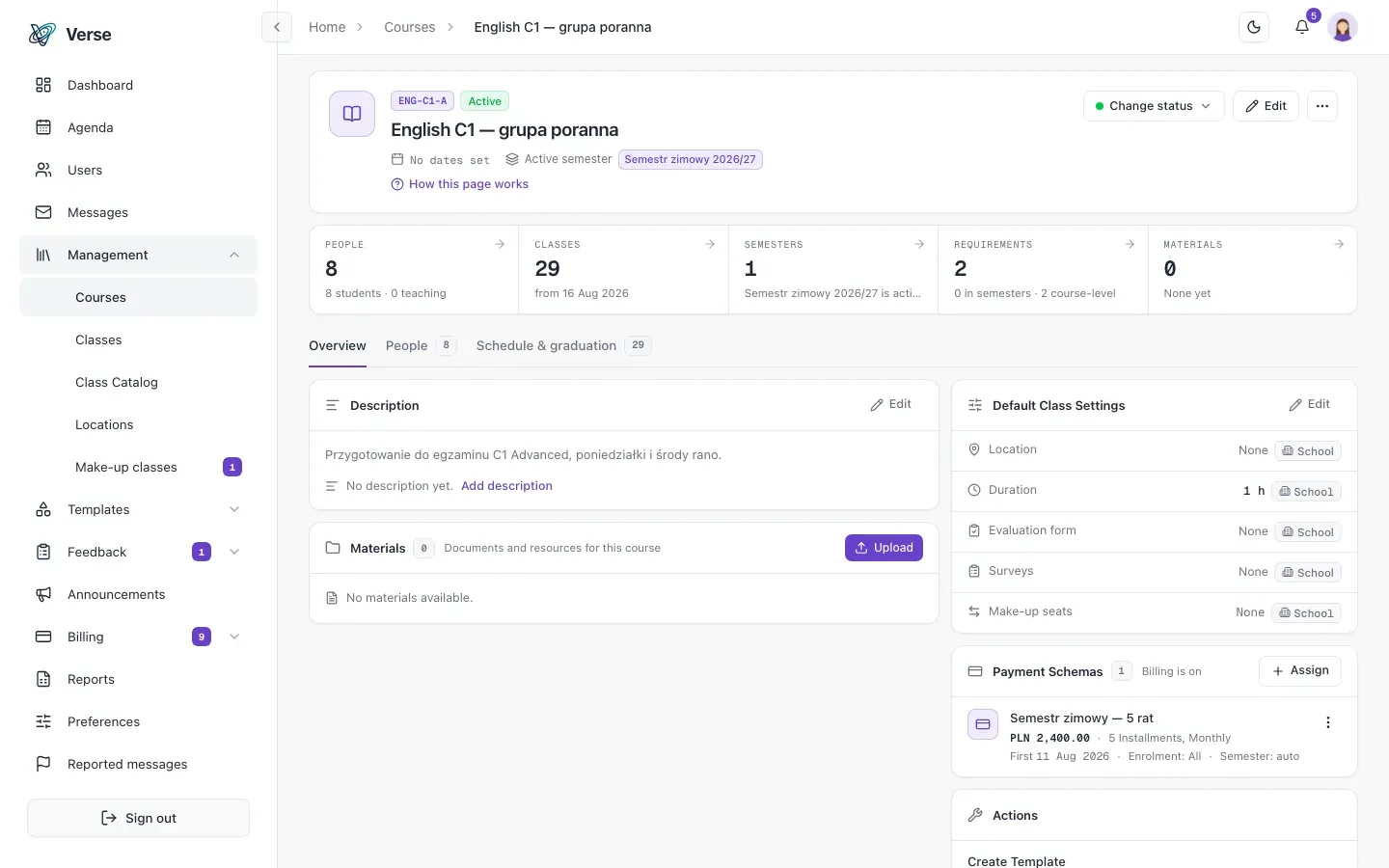
A new course edition in one click
You define your standard course once as a template: its class schedule, completion requirements, materials and semesters. The next edition starts in one click, and a template can also be made from a course that worked.
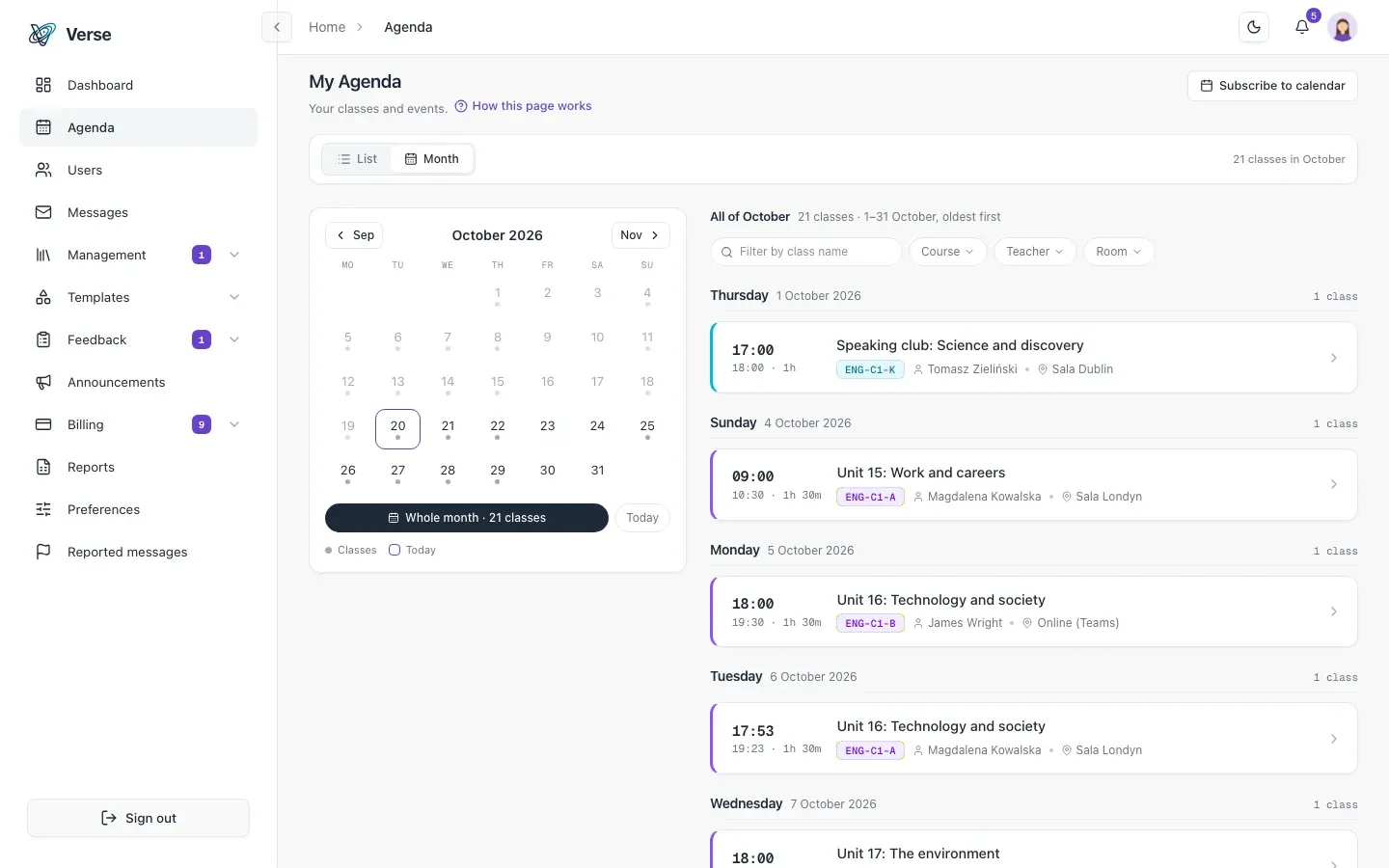
Class templates generate a whole term's schedule instead of clicking in each session. A large group splits into subgroups, and rooms have their capacity.
- A personal calendar, a course calendar and an agenda view, with a subscription in Google Calendar, Outlook or Apple Calendar.
- A notification goes out automatically when a class is moved or cancelled.
- Enrolment of students and teachers in bulk, with role assignment.
Attendance and make-up classes
Missed classes made up in another group
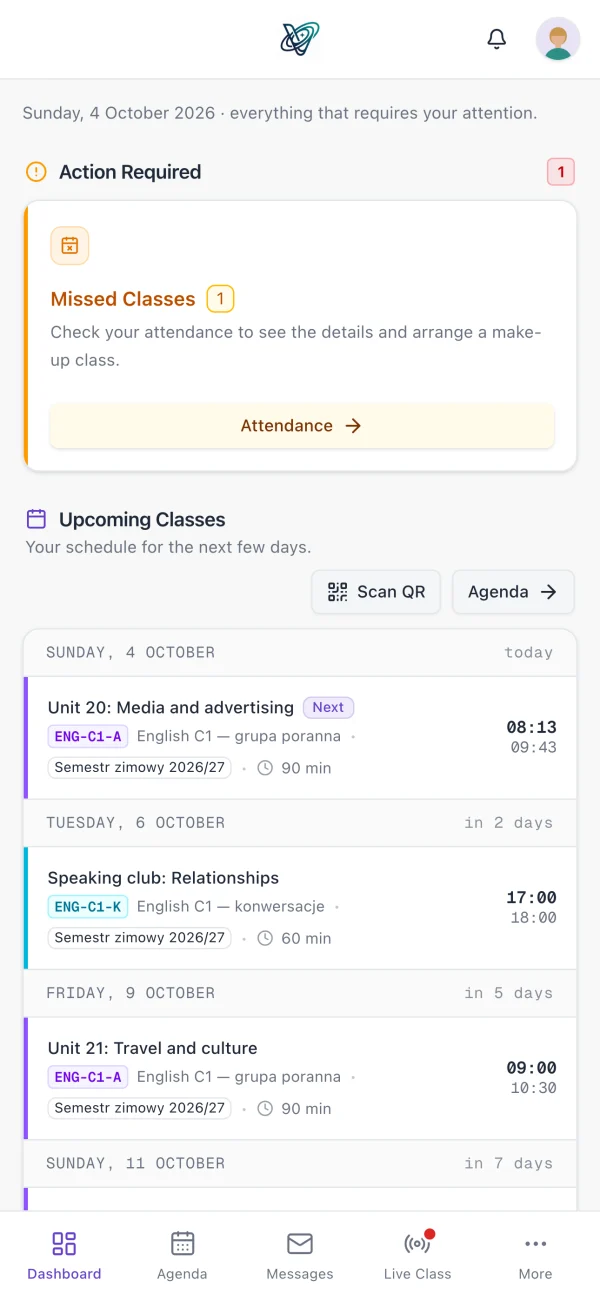
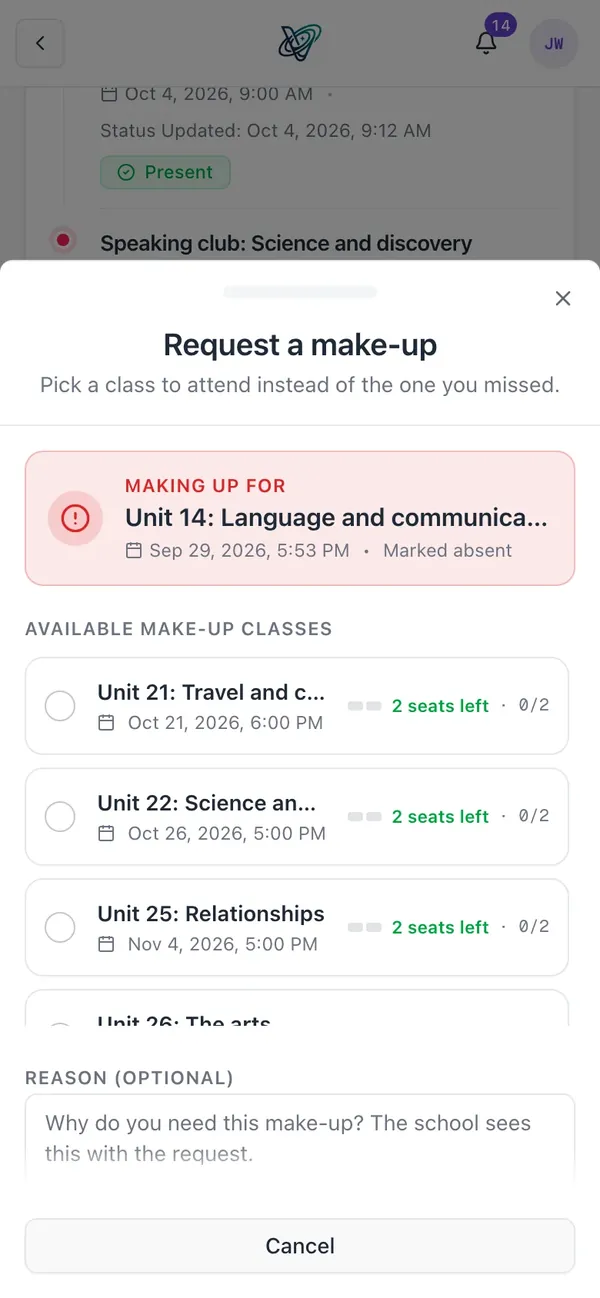
You take attendance by QR code or by hand. A student who missed a class sees the available classes in other groups and requests a spot, and an administrator or teacher approves or rejects it, with a reason.
Attendance in the make-up class is written back to the original class automatically, and the student is notified at every step.
- A rotating QR code that can't be passed on, with an optional location check.
- Attendance statistics per class, per course and per student.
- A filterable request queue: pending first, with who decided and when.
Evaluations and assignments
Evaluations from a template that fits your classes
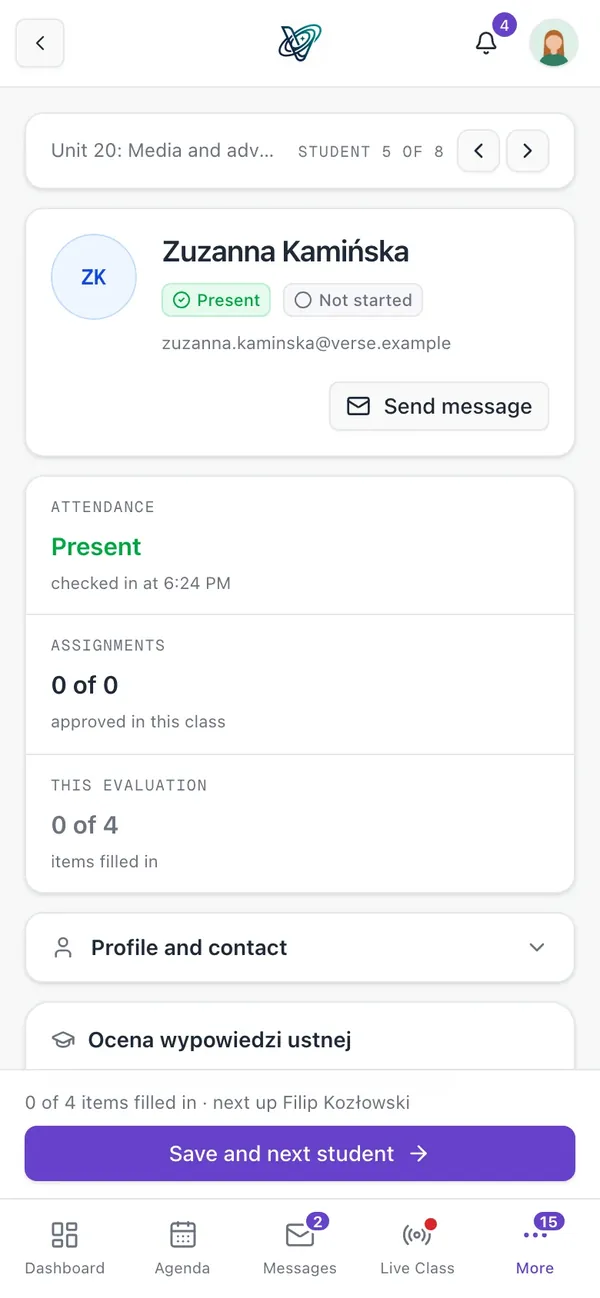
An evaluation template mixes grade scales, free text and yes/no checks, so one sheet covers “Speaking 4, Grammar 5, Homework done, teacher comment”. The teacher grades each student per class, and the draft saves itself while they fill it in.
You publish assignments per class, with attachments and a deadline. The student hands in work with a file, and the teacher grades it with feedback.
- A queue of evaluations to submit, so nothing is forgotten.
- The full evaluation history per student, per class and per course.
- Export of evaluations to Excel: one course, selected students or a date range.
Payments
Course instalments and invoices without a spreadsheet
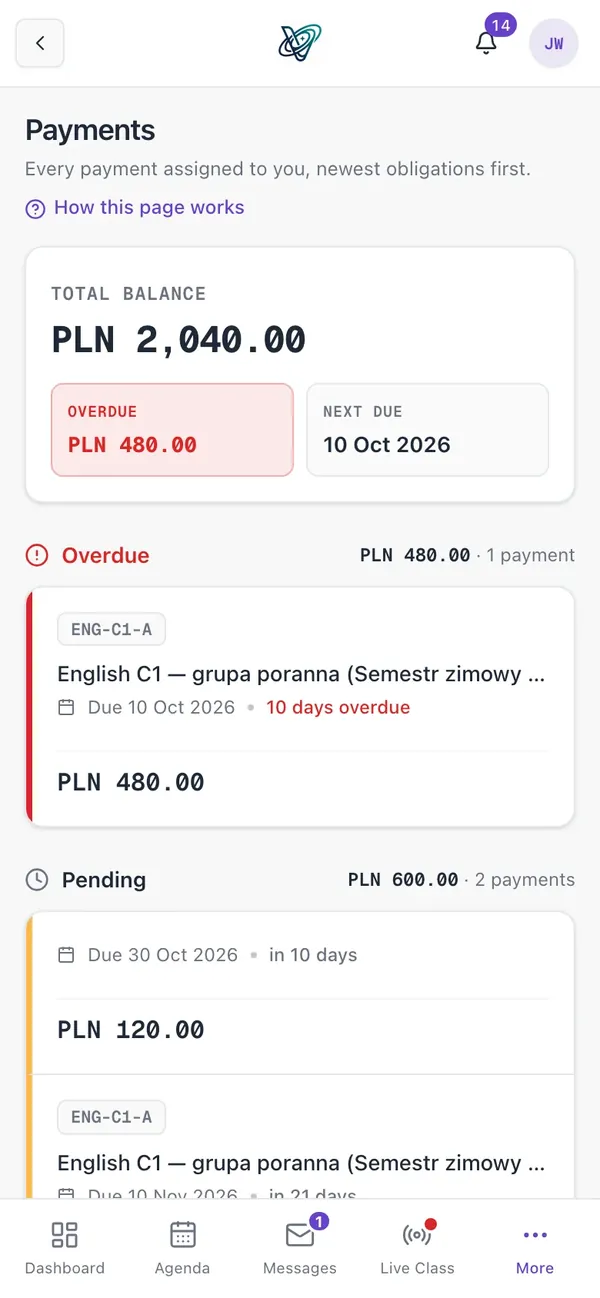
You set the instalment plan once and assign it to a course, and the payments are created when a student enrols. The school's inFakt account issues the invoices and sends them to KSeF as the school has set.
- Collected, outstanding and overdue amounts in one view.
- Overdue reminders sent without anyone being reminded twice.
- Suspending a student automatically removes their future payments.
How it works
From a course template to a settled term.
Create a course from a template
The schedule, requirements and materials carry over into the new edition.
Enrol your students
In bulk, and the instalment payments are created on enrolment.
Teach your classes
QR attendance, assignments and evaluations, with each student's progress visible live.
Frequently asked questions
About VerseLMS in a language school.
Does VerseLMS suit a small language school?
Yes. Evaluations, surveys, graduation, billing and make-up classes are switched on separately for each school, so you start with what you need. A school with 50 students runs as fast as one with 5,000.
Can a teacher work for two schools?
Yes. One account works across schools: the teacher has one login and one password, with a different role in each school.
Is the system available in Polish and English?
Yes. The interface, emails, notifications, reports and file names are in Polish and English, and each user picks their own language.
Do students have a mobile app?
Yes, for iPhone, iPad and Android. Students have their timetable, assignments, announcements and attendance check-in there, and the web app works in any browser alongside it.
Let's talk about your school
Write to us: we'll prepare pricing for your school and show you VerseLMS in a presentation.
Have an idea for a feature? We improve VerseLMS every week: suggest it.