
Training centre software: from enrolment to course completion
Every course has its own completion conditions, and every student their own progress. VerseLMS tracks the requirements, collects assignments and feedback, and shows who passes before you confirm the outcome.
Completion requirements
Completion conditions set for each course
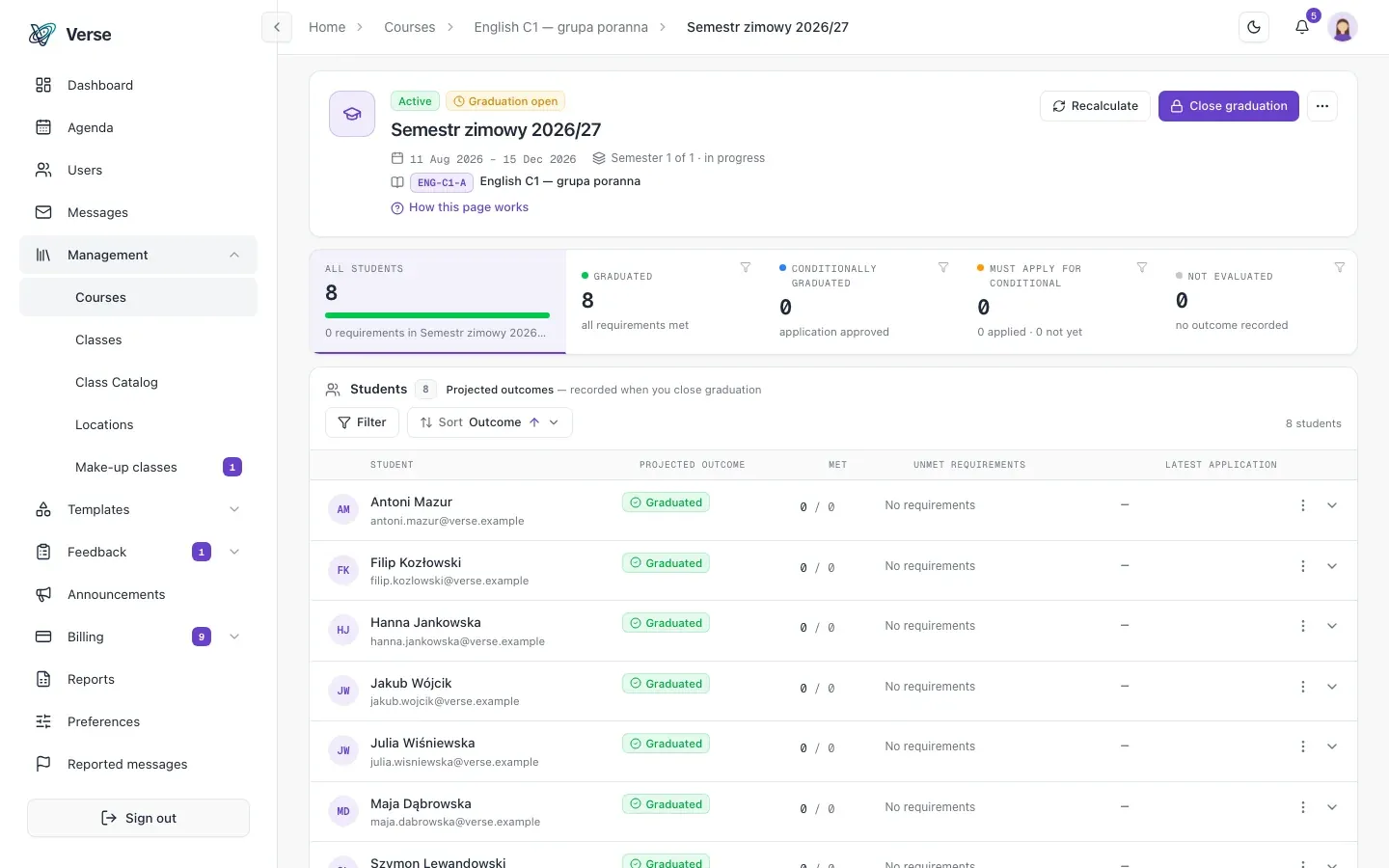
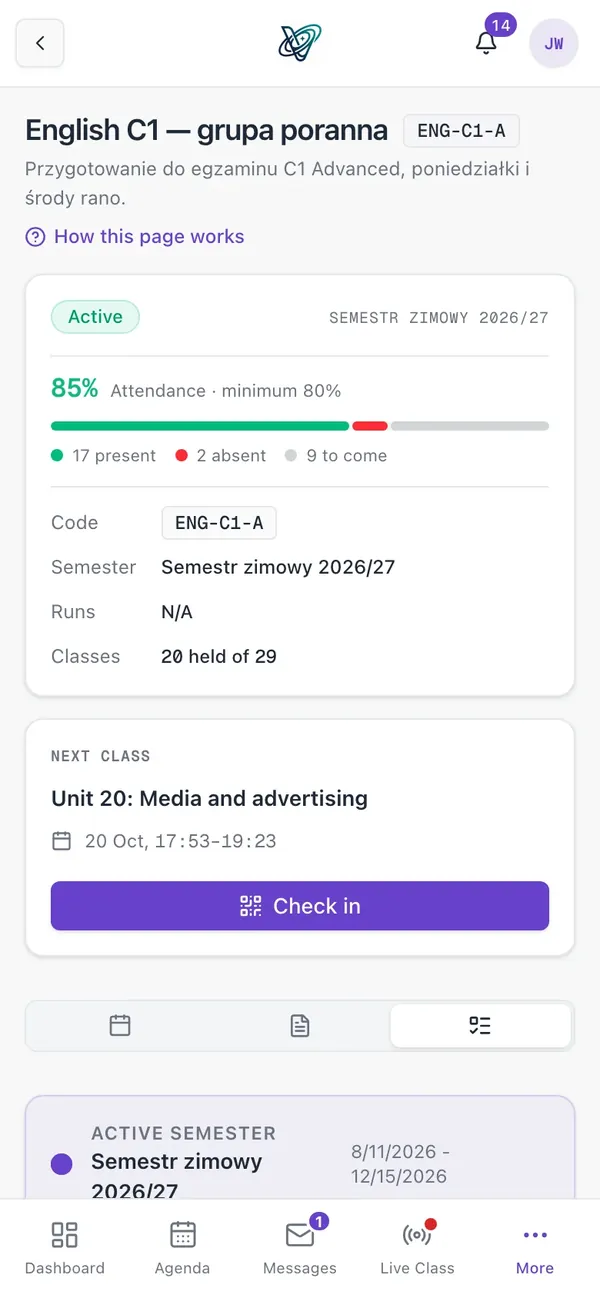
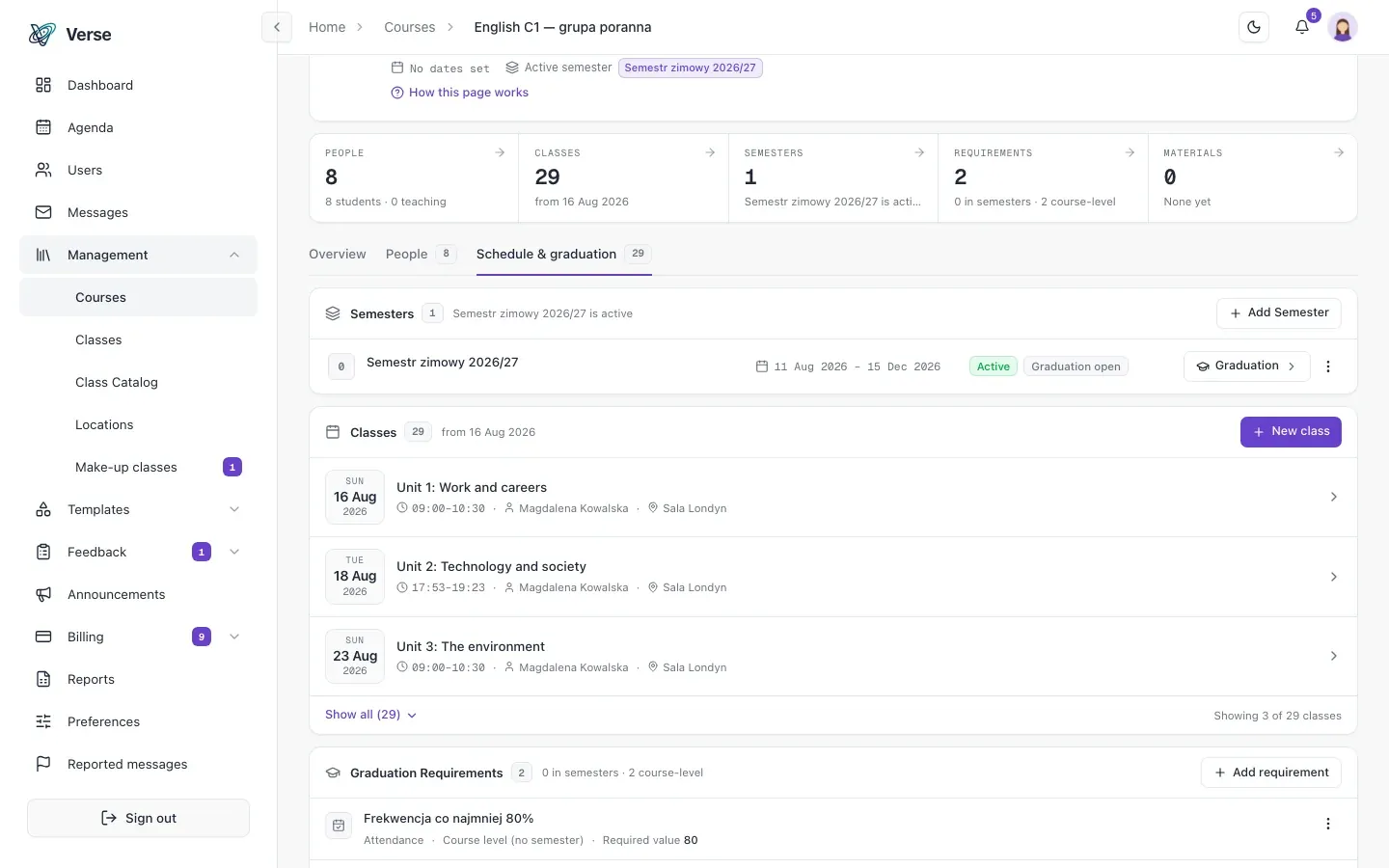
For each course you set a list of requirements: a file upload, an attendance threshold or a manual confirmation, each with a due date. The student uploads documents, and an administrator approves or rejects them, with a comment and the full history.
A live progress view shows who is behind. Semester graduation starts with a preview: you see exactly who passes and who doesn't, and only then apply it, with a manual override where a human decision is needed.
- Conditional graduation: a student who misses a requirement applies with documents, and an administrator decides.
- Administrators are notified when a student uploads a file or applies for conditional completion.
- Students are told their semester outcome when graduation is closed and whenever it changes.
Assignments and evaluations
Student work and evaluations in one flow
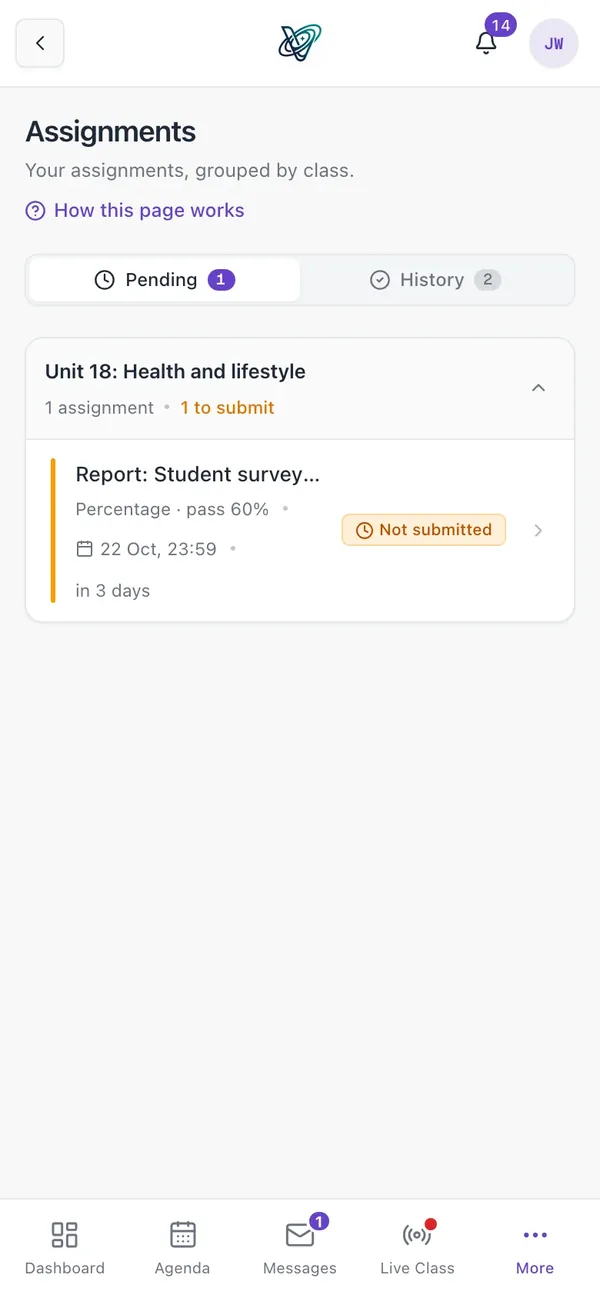
You create, publish and schedule assignments per class, with attachments and deadlines. The student hands in work with a file, and the teacher grades it with feedback, or reopens it when a second attempt is warranted.
Evaluation templates mix grade scales, free text and yes/no checks, and a queue of evaluations to submit makes sure nothing is forgotten.
- The student sees what is outstanding, the teacher what is waiting to be graded, and the administrator the whole school.
- Notifications when an assignment is published and when it is graded.
- Evaluation drafts save themselves and come back when reopened.
Surveys and feedback
Feedback after class, grouped by group
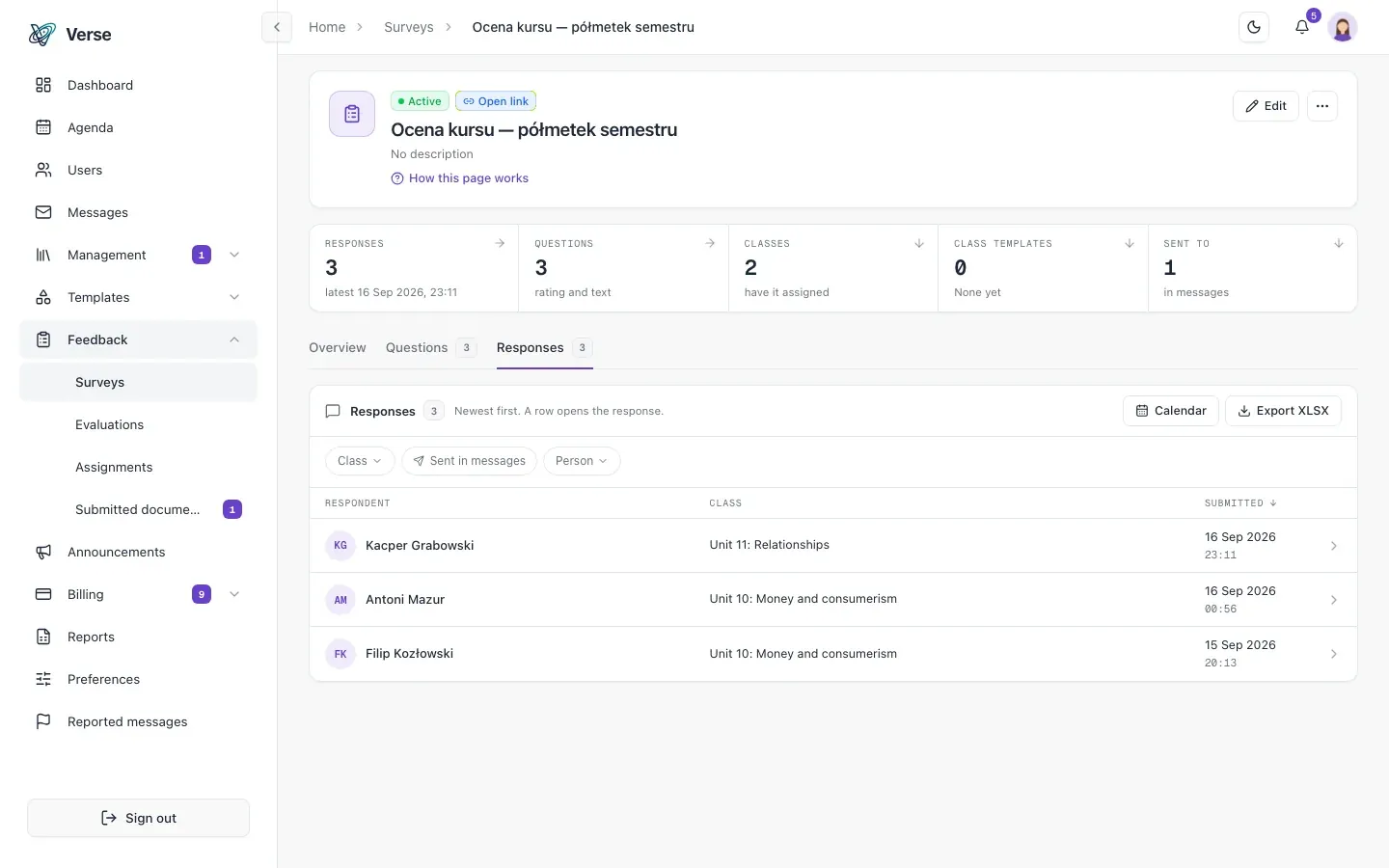
The survey builder has single choice, multiple choice, free text and rating questions. You assign surveys to classes or to named people, and see who has filled them in and who hasn't.
Results are grouped by class, so you see straight away which group is unhappy this week, not just an anonymous pile of answers.
- Scheduled reminders for missing surveys: the school picks the day, the time and how often to repeat.
- Attendance can depend on filling in the class survey.
- Export of responses to Excel, per class or in bulk.
Reports
Excel reports when you need them
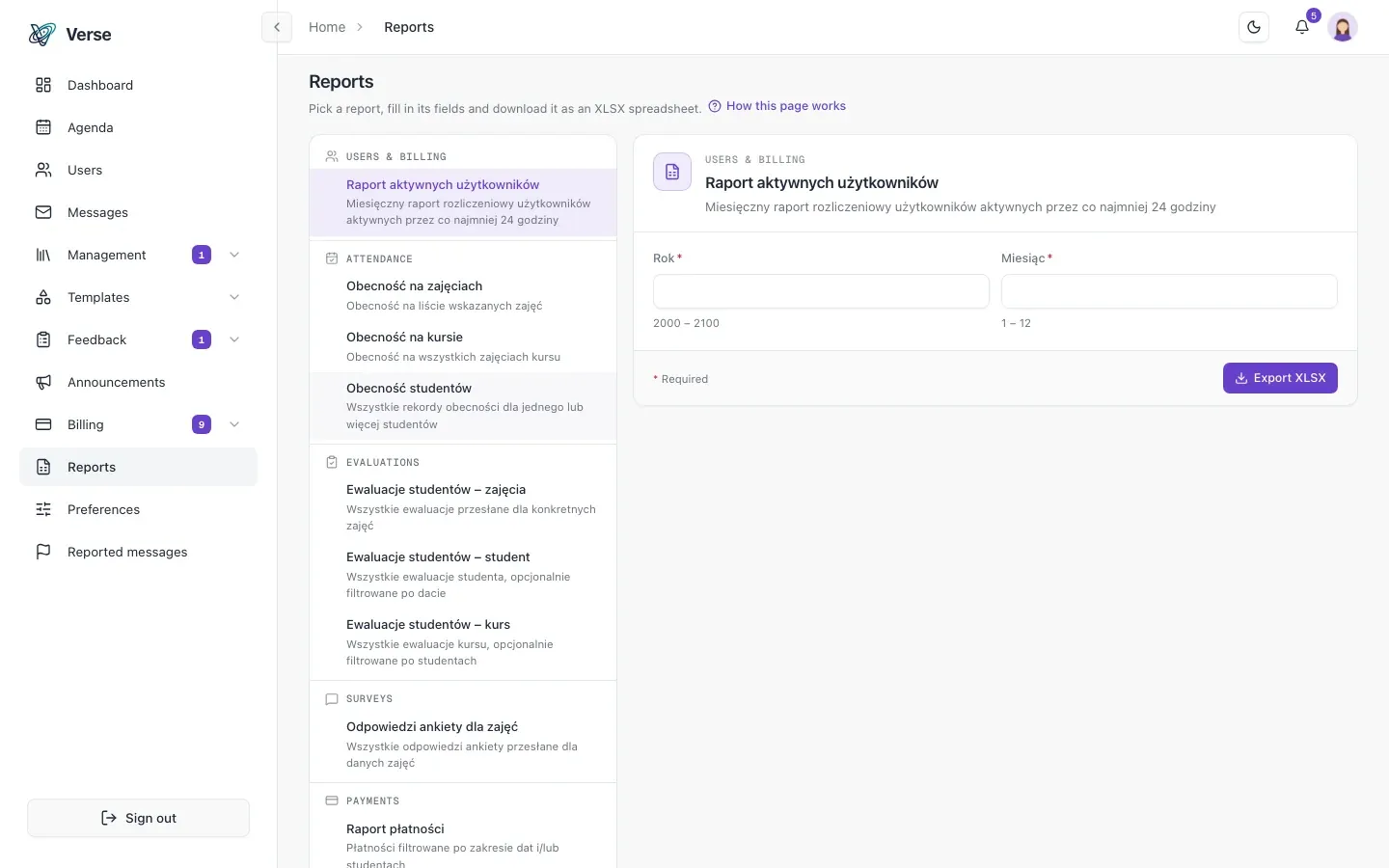
You generate reports on demand as XLSX, with content and file names in Polish or English: attendance, evaluations, payments, active users and survey responses.
- Attendance for selected classes, a whole course, or one or more students.
- Evaluations per course, per class and per student, with an optional date range.
- An active users report, the headcount that matters for billing.
How it works
From enrolment on a course to a confirmed outcome.
Set the requirements
A file, an attendance threshold or a manual confirmation, each with a due date.
Students take the course
Attendance, assignments and surveys, with progress visible live.
Confirm the outcome
After a preview of who passes and who doesn't, with a notification to the student.
Frequently asked questions
About VerseLMS in a training centre.
Can I require a minimum attendance?
Yes. An attendance threshold is one of a course's completion requirements, with its own due date. Each student's progress is visible live.
What if a student misses one requirement?
They can apply for conditional completion with documents. An administrator is notified, reviews the application and decides, and the history is kept.
Can I see who passes the semester before I confirm it?
Yes. Semester graduation has a preview before you apply it: you see who passes and who doesn't, and can override a single student's outcome.
Can survey responses and evaluations be exported?
Yes. You download them as an Excel (XLSX) report, with content and file names in Polish or English.
Let's talk about your school
Write to us: we'll prepare pricing for your school and show you VerseLMS in a presentation.
Have an idea for a feature? We improve VerseLMS every week: suggest it.