
KSeF invoicing for schools: issued by inFakt, reconciled without retyping
VerseLMS creates student payments from an instalment plan, and the school's inFakt account issues the invoices and sends them to KSeF. When an invoice is paid, the payment marks itself as paid.
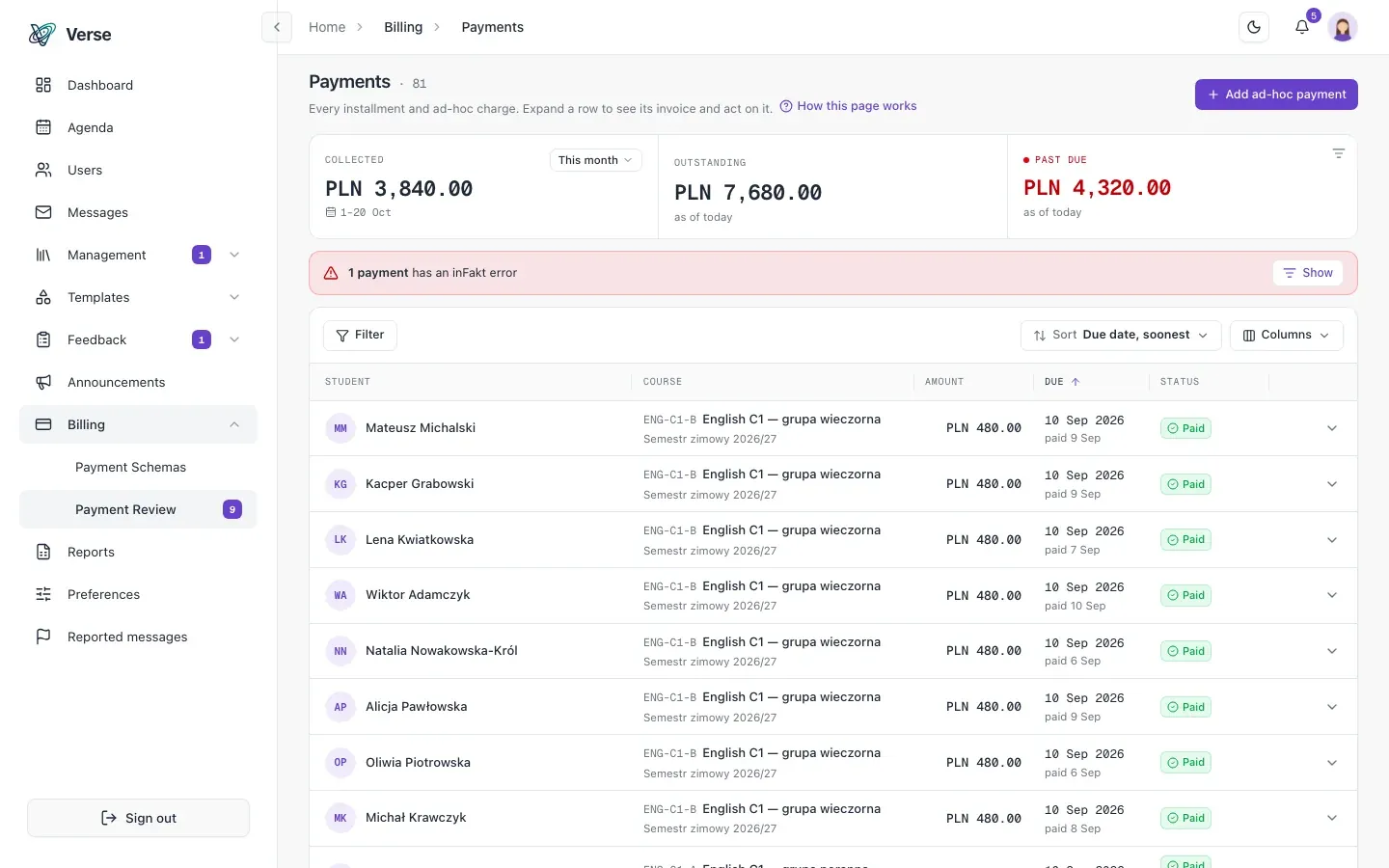
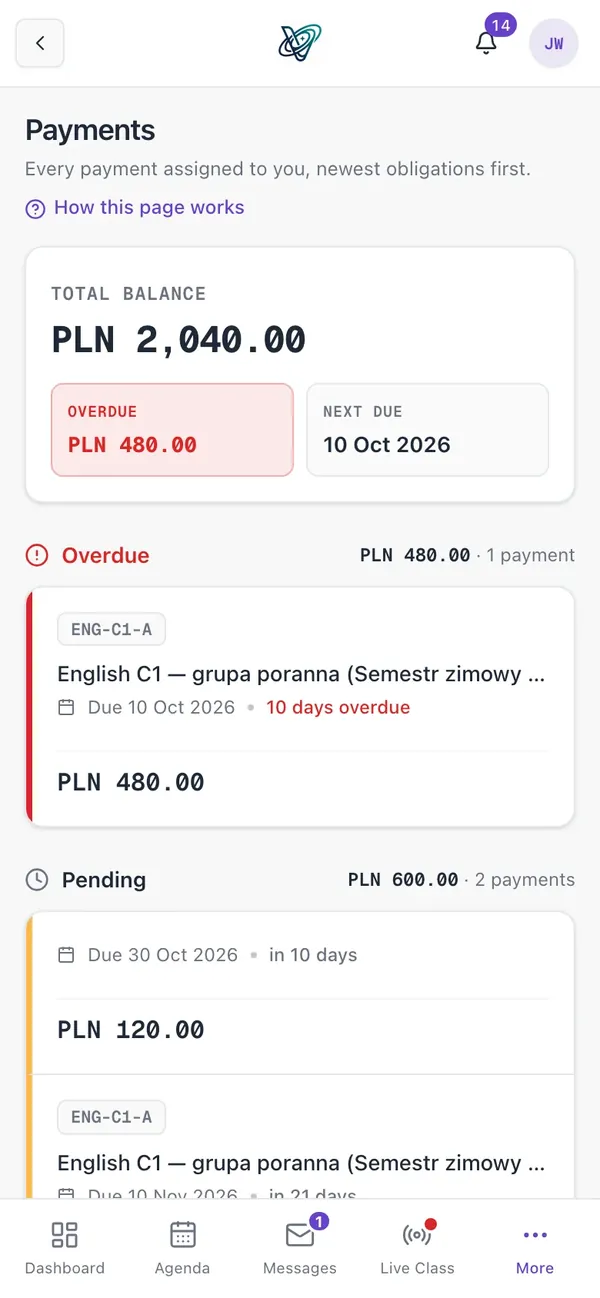
Payments
Set the instalment plan once, get payments for every student
A payment schema sets the price, currency, frequency and instalment plan. You assign it to a course, and the payments are created on enrolment: nobody has to remember to add the new student to the billing run.
Each schema shows the courses that use it. A schema in use has its plan locked, so running billing never shifts under you, and Duplicate makes a new one from it to change.
- Three assignment modes: selected students, all enrolled students, or only those without payments; the last two also cover students who enrol later.
- Ad-hoc payments for one-off charges, plus editing and deleting individual instalments.
- Billing exclusions in one click, with a reason: scholarship holders, staff children, trial students.
- Students see their balance and instalments in the app, and notifications confirm a payment and remind them when one is overdue.
inFakt and KSeF
The invoice issues itself and goes to KSeF automatically
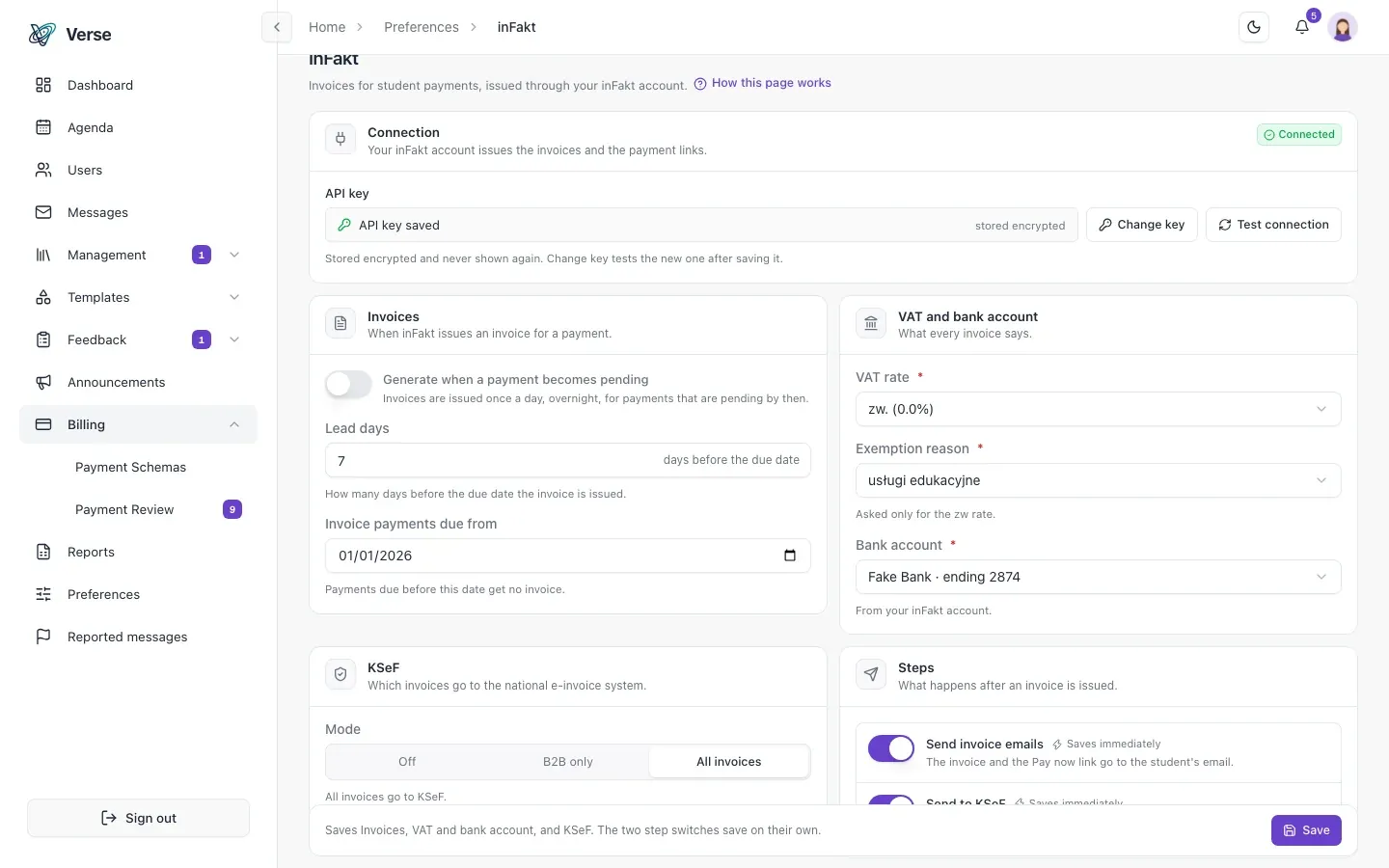
Each school connects its own inFakt account and tests the connection from the admin panel. The invoice is created a set number of days before the due date, with a quick-payment link, and emailed to the student straight from inFakt, in the right language.
The school sets what is sent to KSeF: nothing, B2B invoices only, or everything.
- The VAT rate and exemption reason set per school, with bank accounts read from inFakt.
- An invoice for a payment marked paid by hand, such as cash at the front desk, in one click and without a pointless payment link.
- inFakt API keys held in AWS Secrets Manager, never in the database.
Reconciliation
Payments reconciled without checking bank statements
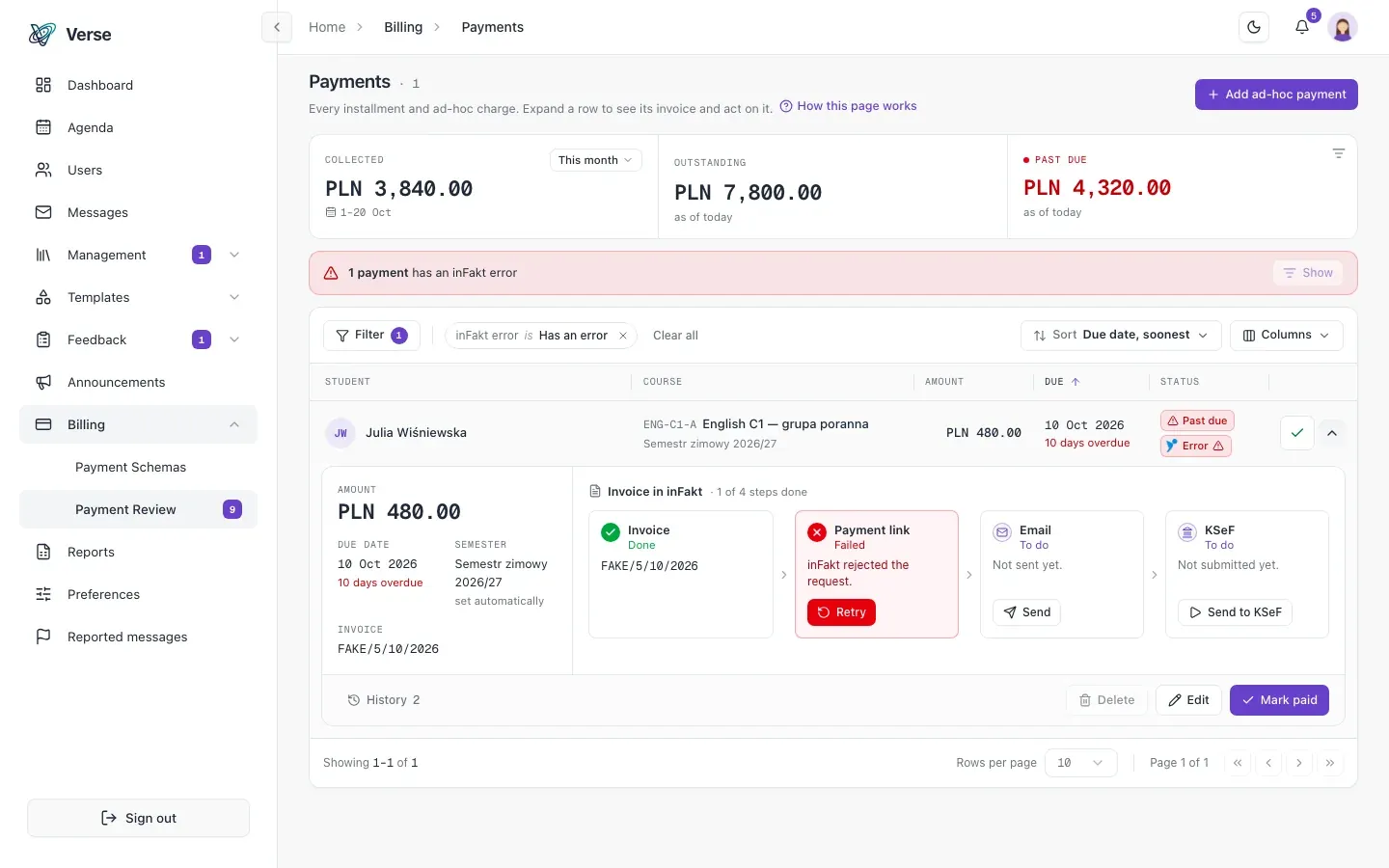
The system polls inFakt and marks the payment as paid when the invoice is paid. Your administrators stop cross-checking bank statements by hand.
Every invoice has a full action log: creation, payment link, email, KSeF and settlement. If a step fails, the reason is shown.
- An “N payments have inFakt errors” strip and a payments-list filter take you straight to the payments that need attention.
- Automatic retries and a manual “retry this step”.
- An invoice blocked by an incomplete student address retries itself once the address is filled in.
- Billing statistics: collected, outstanding and overdue amounts, for the period each administrator picks.
How it works
From enrolment to a reconciled payment, with no retyping.
You set a payment schema
Price, frequency and instalment plan once, assigned to a course.
inFakt issues the invoice
Before the due date, with a payment link, emailed to the student and sent to KSeF as the school has set.
The payment settles itself
When the invoice is paid, the payment is marked as paid.
Frequently asked questions
About invoicing and KSeF in VerseLMS.
Does VerseLMS send invoices to KSeF?
Yes, through inFakt. Each school connects its own inFakt account, which issues the invoices and sends them to KSeF. You set what is sent for the school: nothing, B2B only, or everything.
We invoice in another accounting system. What then?
Today VerseLMS issues invoices through inFakt. If your school invoices in another system, write to us and tell us how you work.
Our school is VAT-exempt. Can I set that up?
Yes. You set the VAT rate and the exemption reason for the school. Which invoices you must send to KSeF, and from when, is a question for your accountant: you match the sending setting to their answer.
What if a student pays in cash?
You mark the payment as paid in one click, which you can undo, and issue its invoice without a pointless payment link.
Let's talk about your school
Write to us: we'll prepare pricing for your school and show you VerseLMS in a presentation.
Have an idea for a feature? We improve VerseLMS every week: suggest it.