
QR code attendance: a register with no paper and nothing to fill in later
The teacher shows a rotating QR code, students scan it with their phone and attendance is recorded at once. The code keeps changing, so yesterday's screenshot is no use.
QR code
A code that can't be passed on
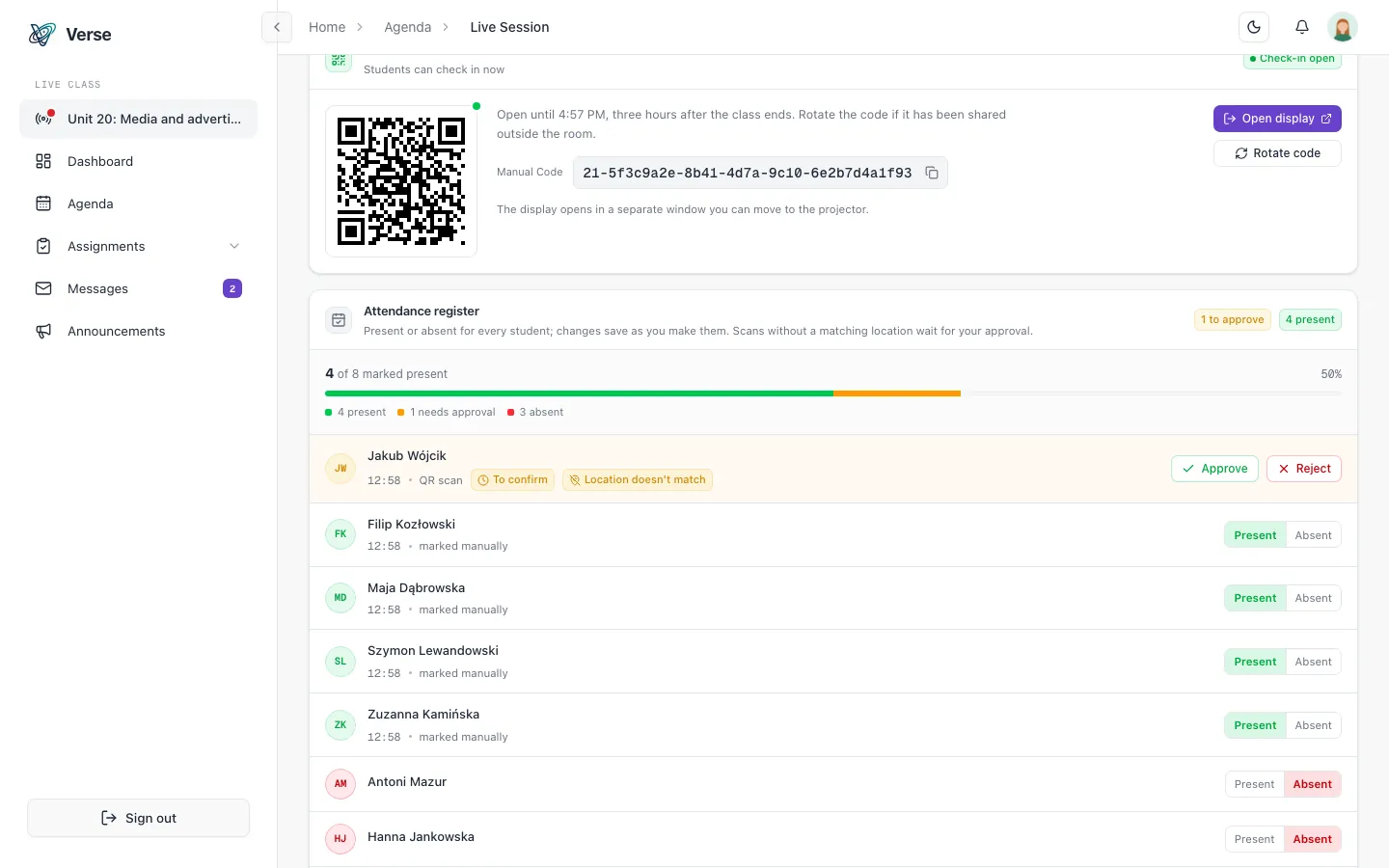
In class, the teacher shows a rotating QR code. Its secret keeps changing, so an old photo of the code or yesterday's screenshot confirms nobody's attendance.
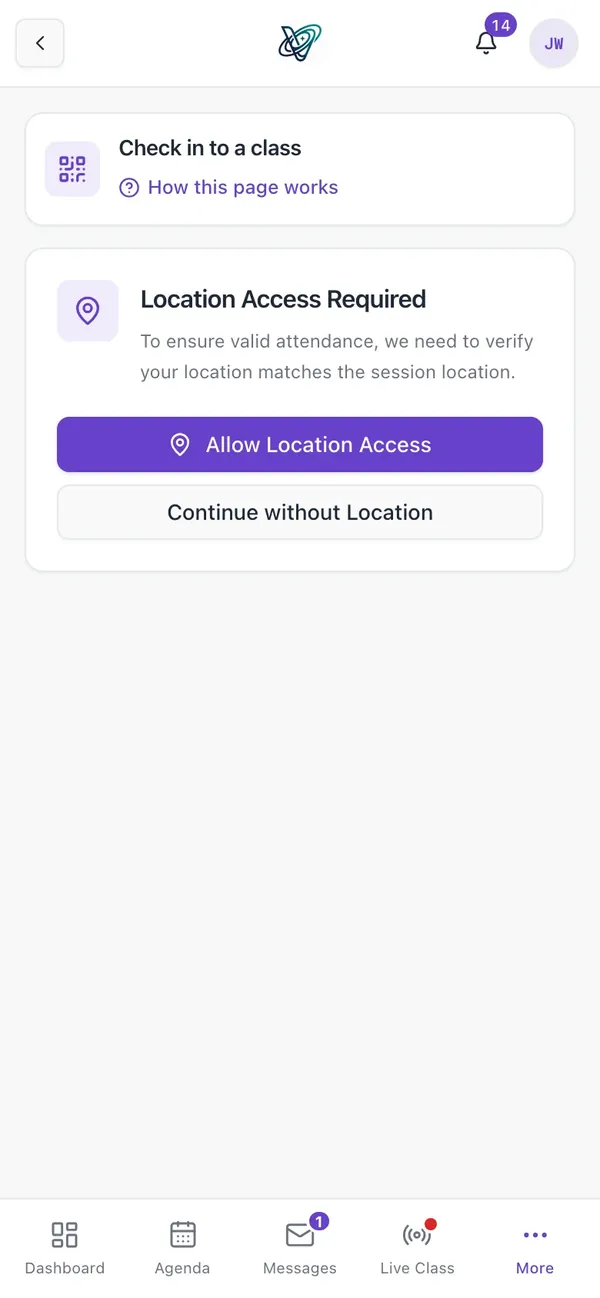
The school decides whether to turn on the location check. Without it, a scan of the rotating code is enough; with it, the system also checks that the student was at the class venue.
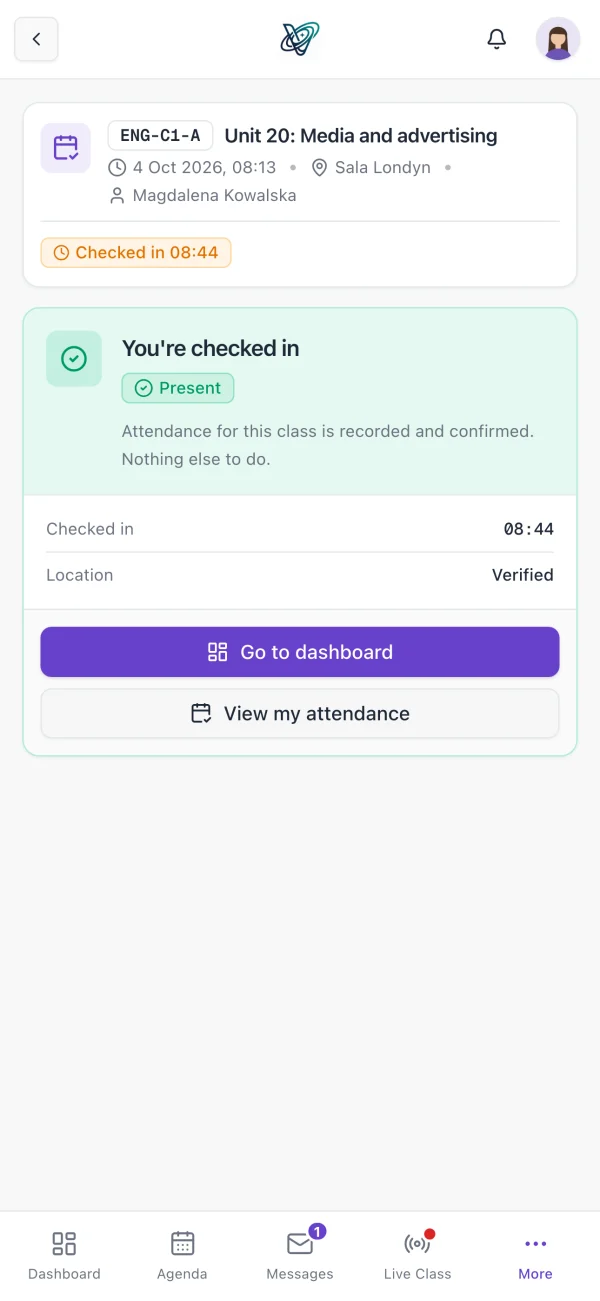
- Students scan the code with their phone, in the VerseLMS app for iPhone, iPad or Android.
- An optional location check verifies that the code was scanned at the class venue.
- Attendance is recorded instantly: nobody copies out a register after class.
Control
The teacher has the last word
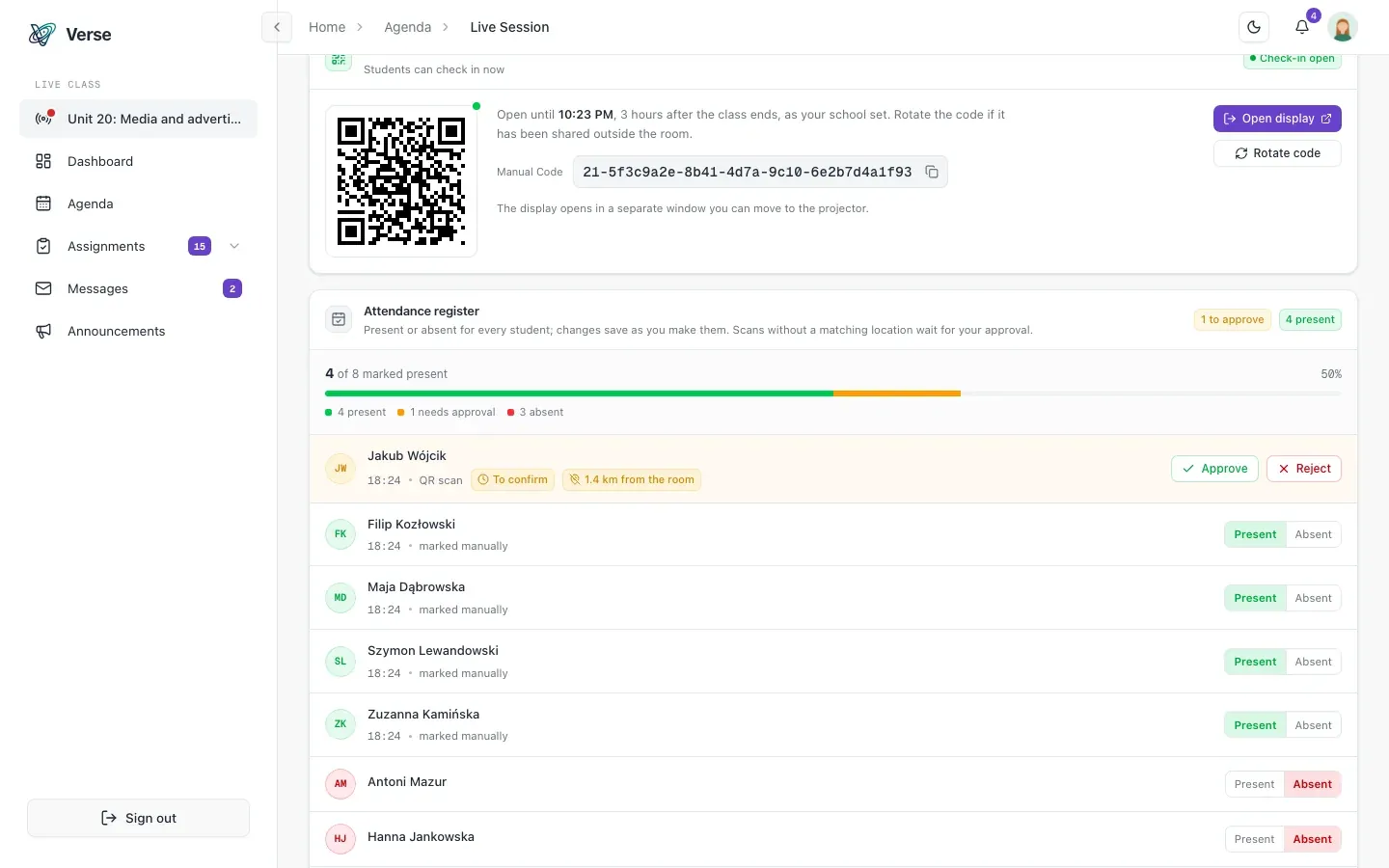
A scan without a matching location isn't lost, and it doesn't count by itself. It waits as “awaiting confirmation”, and the teacher approves or rejects it in one click.
- Manual entry and correction, with the source of each record kept: QR code, manual or make-up class.
- Attendance gated by a survey: the student confirms presence only after completing the form, also when marked by hand.
- A student marked by hand who hasn't filled in the survey is “awaiting survey”, and present once it's done.
- Taking attendance becomes a moment to collect feedback on the class.
Statistics and reports
Attendance rates worked out for you
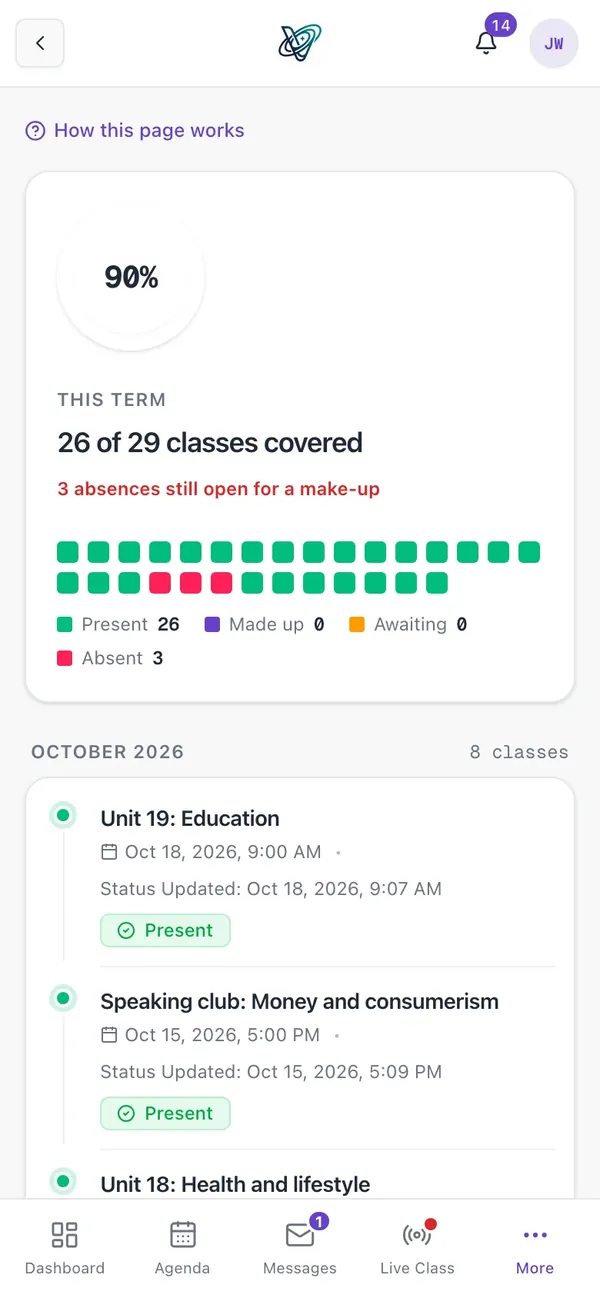
Attendance statistics are ready per class, per course and per student. Every record has a clear status: present, awaiting confirmation, awaiting survey, absent, replaced or replacement pending.
- An attendance report in Excel (XLSX) for selected classes, a whole course, or one or more students.
- Content and file name in Polish or English, generated on demand.
- Automatic retention purge: attendance data is not kept forever.
Graduation and make-up classes
An absence isn't the end of it
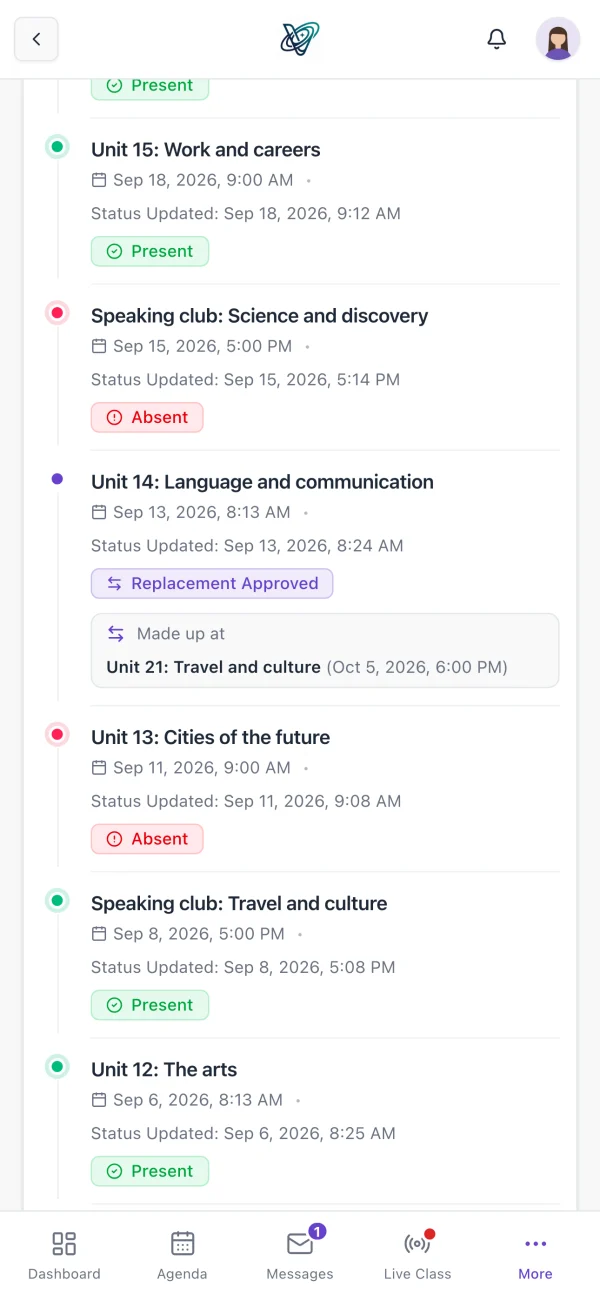
Each student's missed classes are in one place, and they drive the make-up offers. The student picks a class in another group, and once it's approved, the attendance is written back to the original class automatically.
- An attendance threshold as a course completion requirement, with its own due date.
- An administrator or teacher approves the make-up request, and the student is notified at every step.
- A live progress view: the administrator sees at a glance who is behind.
- Conditional graduation: a student who misses a requirement applies with documents, and an administrator decides.
How it works
Three steps in every class, with no paper and no copying out.
The teacher shows the code
In class, they open a rotating QR code that changes by itself.
Students scan it
Each one scans the code in the app; the location check is optional.
The register is done
Attendance is recorded at once, with statistics and an Excel report on demand.
Frequently asked questions
About QR code attendance in VerseLMS.
Can a student confirm attendance with a photo of someone else's code?
The code rotates, so an old screenshot won't work. If the school turns on the location check, the system also checks that the code was scanned at the class venue, and a scan from elsewhere waits for the teacher's decision.
What if a student doesn't have their phone?
The teacher marks the attendance by hand. The record shows it was added by hand, not by QR code. The teacher can also correct a record after class, and the source of the attendance is kept.
Can attendance be a condition for completing a course?
Yes. An attendance threshold is one of the completion requirements you set for a course, with its own due date. Each student's progress is visible live, and before the term is closed, a preview shows who passes and who doesn't.
How do I download the attendance list to Excel?
In Reports, pick attendance for classes, a course or students, and download the XLSX sheet. The report's content and file name are in Polish or English.
Let's talk about your school
Write to us: we'll prepare pricing for your school and show you VerseLMS in a presentation.
Have an idea for a feature? We improve VerseLMS every week: suggest it.